
Table of Contents
Introduction
Mobile app development mainly focuses on building applications for two dominant mobile operating systems: iOS and Android.
iOS development refers to creating applications for Apple devices such as iPhones and iPads using Apple’s development tools and programming languages. Android development, on the other hand, involves building apps for smartphones and tablets running the Android operating system used by many different manufacturers.
Both platforms dominate the global smartphone market and require different tools, programming languages, and development environments. Choosing between them depends on factors like target audience, development cost, hardware compatibility, and business goals.
Overview of iOS and Android Development
| Feature | iOS Development | Android Development |
|---|---|---|
| Operating System | iOS | Android |
| Developed By | Apple Inc. | |
| Devices | iPhone, iPad | Smartphones, tablets from many brands |
| Development Environment | Xcode | Android Studio |
| App Store | Apple App Store | Google Play Store |
Both ecosystems provide tools, frameworks, and guidelines to help developers create secure and optimized mobile applications.
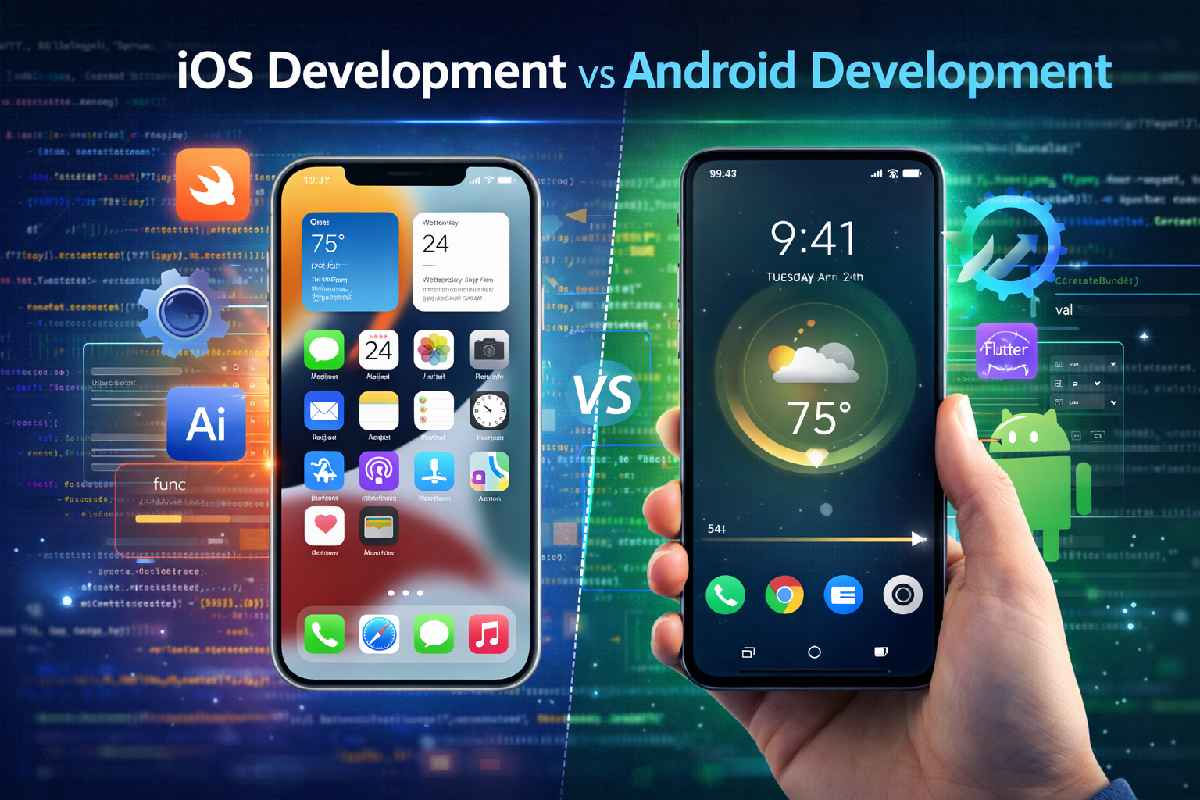
iOS vs Android Development Comparison
| Factor | iOS Development | Android Development |
|---|---|---|
| Hardware Compatibility | Limited to Apple devices | Many manufacturers |
| Development Complexity | Easier due to limited devices | More complex due to device fragmentation |
| App Approval | Strict review process | Faster publishing |
| Market Share | Strong in premium markets | Larger global user base |
| Revenue Potential | Higher average spending | Larger user volume |
Android has the largest number of users globally, while iOS users typically spend more on apps and in-app purchases.
Programming Languages Used
| Platform | Primary Languages | Secondary Languages |
|---|---|---|
| iOS Development | Swift | Objective-C |
| Android Development | Kotlin | Java |
Swift and Kotlin are modern programming languages designed to improve performance, readability, and developer productivity.
Development Tools Comparison
| Tool | Platform | Purpose |
|---|---|---|
| Xcode | iOS | App coding, UI design, testing |
| Android Studio | Android | App development and debugging |
| Firebase | Both | Backend services and analytics |
| Flutter | Both | Build apps for both platforms |
These tools help developers build, test, and publish mobile applications efficiently.
App Development Cost Comparison
| App Type | iOS Development Cost | Android Development Cost |
|---|---|---|
| Basic App | $5,000 – $20,000 | $5,000 – $25,000 |
| Medium Complexity App | $20,000 – $60,000 | $25,000 – $70,000 |
| Complex App | $60,000 – $150,000+ | $70,000 – $200,000+ |
Costs depend on factors such as app complexity, UI design, backend integration, and development team location.
Mobile Market Share
| Platform | Global Market Share |
|---|---|
| Android | ~70% |
| iOS | ~29% |
| Others | ~1% |
Android dominates in developing markets due to affordable devices, while iOS has a strong presence in premium smartphone markets.
Popular Companies Using Each Platform
| Platform | Companies |
|---|---|
| iOS | Apple, Airbnb, Instagram |
| Android | Samsung Electronics, Xiaomi, OnePlus |
Many companies release apps for both platforms to reach a larger audience.
How to Start iOS Development
| Step | Action |
|---|---|
| Step 1 | Learn Swift programming |
| Step 2 | Install Xcode on Mac |
| Step 3 | Study Apple UI frameworks |
| Step 4 | Build test apps |
| Step 5 | Publish on Apple App Store |
Developers must use macOS to build and publish iOS applications.
How to Start Android Development
| Step | Action |
|---|---|
| Step 1 | Learn Kotlin or Java |
| Step 2 | Install Android Studio |
| Step 3 | Learn Android SDK |
| Step 4 | Build sample apps |
| Step 5 | Publish on Google Play Store |
Android development can be done on Windows, macOS, or Linux systems.
Advantages vs Disadvantages
| Platform | Advantages | Disadvantages |
|---|---|---|
| iOS | High revenue potential | Requires Apple hardware |
| Android | Large global user base | Device fragmentation |
Developers often build apps for both platforms to maximize reach and revenue.
Mobile App Development Platform Growth
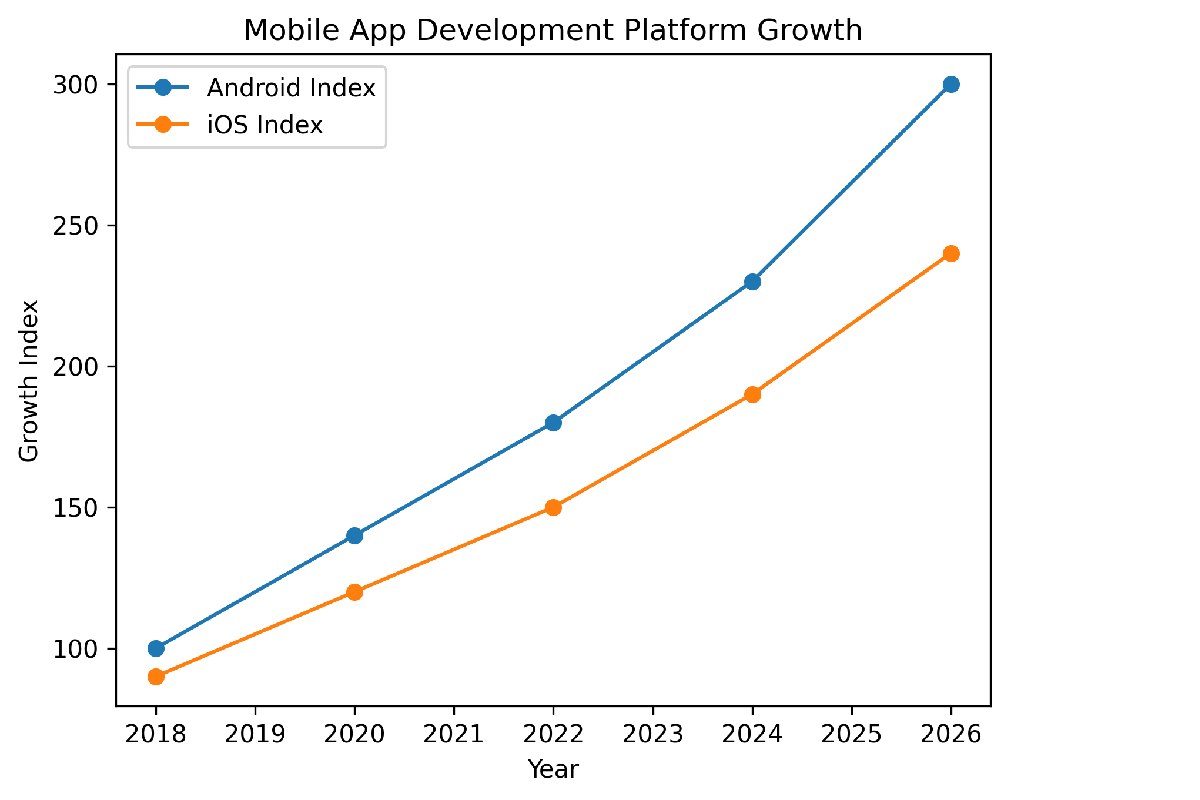
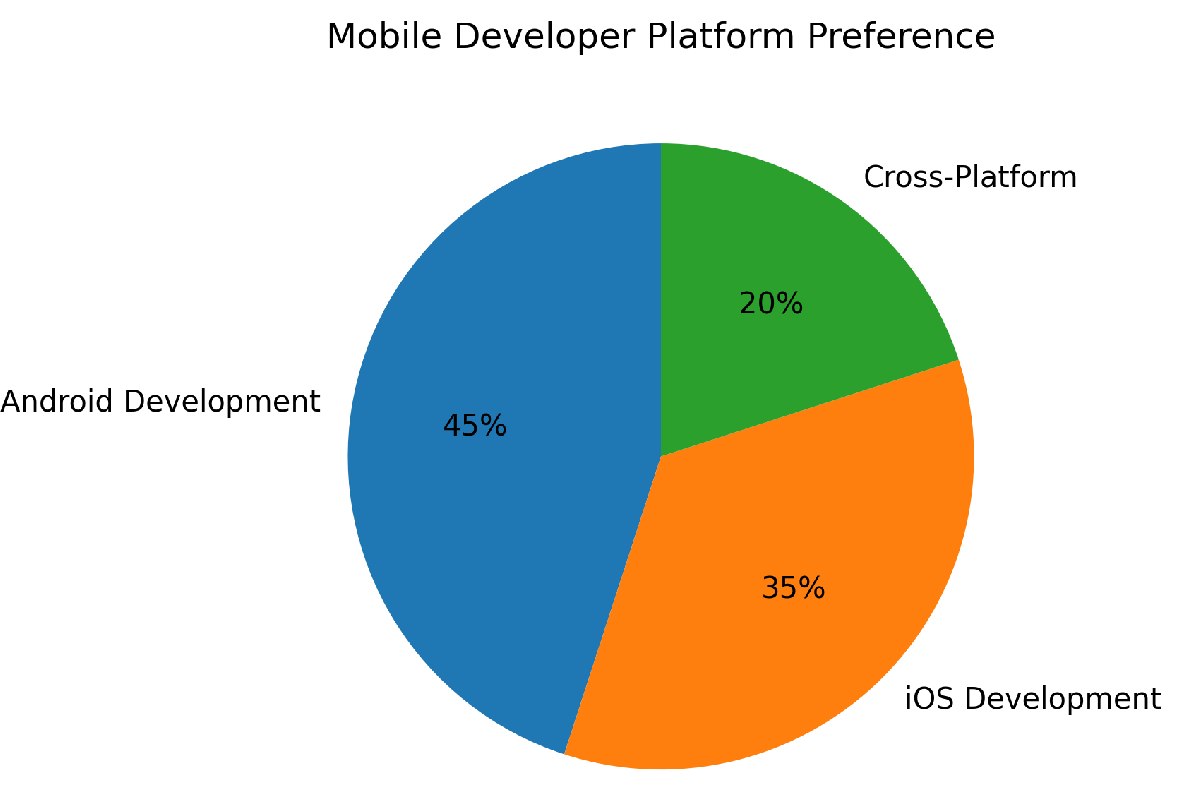
Mobile Developer Platform Preference
Key Points to be Noted:
-
iOS apps are developed mainly for Apple devices using Swift.
-
Android apps support a wide range of smartphone brands.
-
Android has a larger global market share.
-
iOS generates higher average revenue per user.
-
Many developers now use cross-platform frameworks to build apps for both ecosystems.
FAQs
Which platform is easier for beginners: iOS or Android?
iOS development is often considered easier because it supports fewer devices and provides a more controlled ecosystem.
Do developers need a Mac for iOS development?
Yes. Apple requires developers to use macOS and Xcode to build and publish iOS applications.
Which platform has more users worldwide?
Android has the largest number of smartphone users globally due to the availability of affordable devices.
Which platform generates more revenue?
iOS apps usually generate higher revenue because Apple users tend to spend more on apps and subscriptions.
Should developers learn both iOS and Android?
Learning both platforms is beneficial because it allows developers to build apps for the entire smartphone market.
Conclusion
The choice between iOS development and Android development depends on project goals, target audience, and available resources. iOS development offers a streamlined ecosystem with higher revenue potential, while Android development provides access to the largest global user base and a diverse range of devices. Both platforms have powerful development tools, modern programming languages, and strong app marketplaces that enable developers to build innovative mobile applications. For businesses and developers aiming to reach the widest audience, building applications for both ecosystems or using cross-platform frameworks has become an increasingly popular strategy in the mobile app industry.