

Most overclocking guides either assume you’re an engineer, or they oversimplify to the point of being risky. This guide focuses on safe, repeatable gains, not brag-worthy benchmarks.
Table of Contents
Why and When Should You Overclock Your Intel CPU?
Before modifying BIOS settings, let’s address the real question most guides skip:
Is Overclocking Worth It
- You own an unlocked Intel CPU (K or KF series)
- You’re CPU-bound in games, rendering, or simulation workloads
- You have adequate cooling (not stock)
- You’re comfortable trading efficiency for performance
When It’s Usually Not Worth It
- Office productivity or casual use
- Thermally constrained systems (small form factor, laptops)
- Newer Intel CPUs already boosting near thermal limits
- Systems where stability > peak performance
Evidence-based insight: Modern Intel CPUs aggressively boost out of the box. Manual overclocking often yields 5–10% gains, not the 30–40% seen a decade ago.
Intel Overclocking Basics
Let’s simplify what you’re actually changing.
Core Multiplier
- Multiplier × base clock (usually 100 MHz) = CPU frequency
- Example: 50 × 100 MHz = 5.0 GHz
CPU Core Voltage
- Higher clocks require more voltage
- More voltage = more heat and degradation risk
Rule of thumb: Small frequency increases, minimal voltage increases.
Is Overclocking Safe for Intel CPUs?
Short answer: Yes—if done conservatively.
What Actually Causes Damage
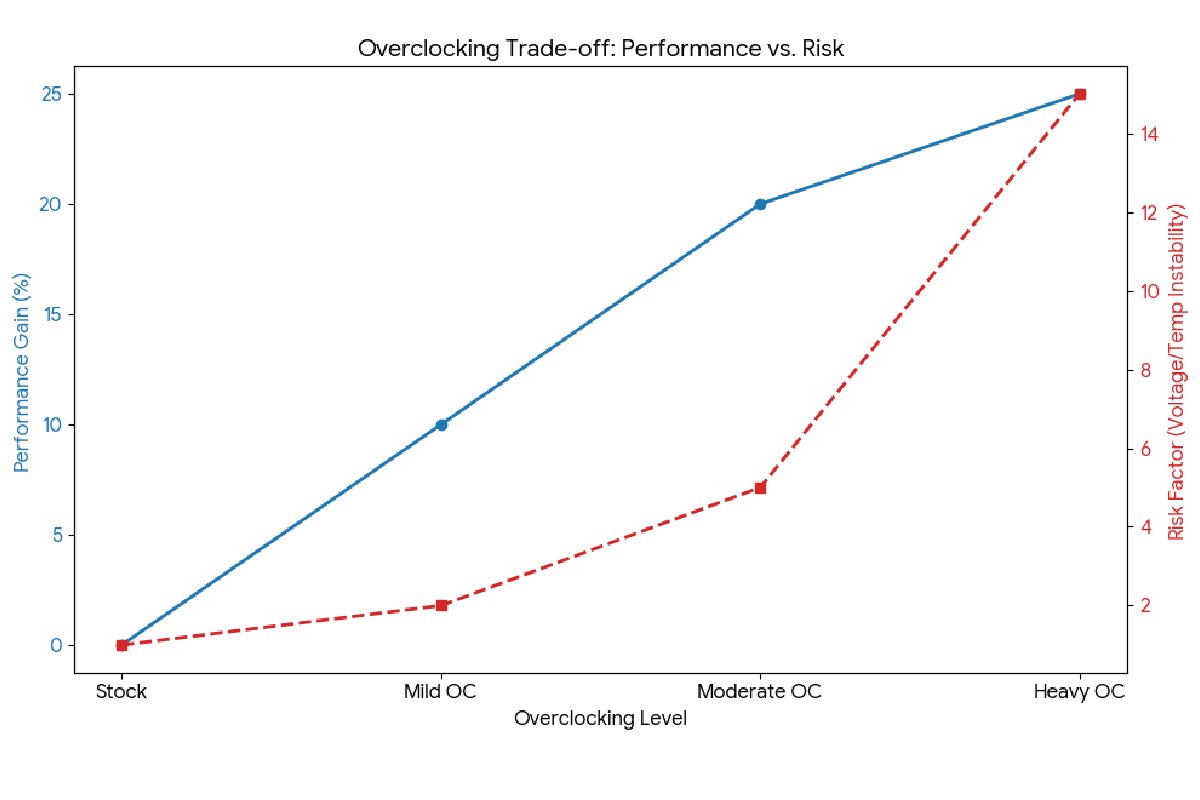
- Excessive voltage
- Sustained high temperatures
- Poor power delivery
What Usually Doesn’t
- Moderate multiplier increases
- Well-cooled systems
- Sensible voltage limits
Intel CPUs include power and thermal safeguards—but they’re not guaranteed.
What You Need Before Overclocking an Intel CPU
- An Unlocked Intel Processor
Only CPUs with a “KF” / “K” suffix support overclocking:
- i5-12600K, i7-13700K, i9-14900K, etc.
If your CPU doesn’t have a K/KF suffix, take pause here.
- A Compatible Motherboard
You need a Z-series chipset:
- Z690 / Z790 (LGA 1700)
- Older generations: Z590, Z490, etc.
B- and H-series boards generally lock CPU multipliers.
- Cooling That Exceeds Intel’s Defaults
Minimum recommendations:
- High-end air cooler (Noctua NH-D15 class)
- Or 240mm+ AIO liquid cooler
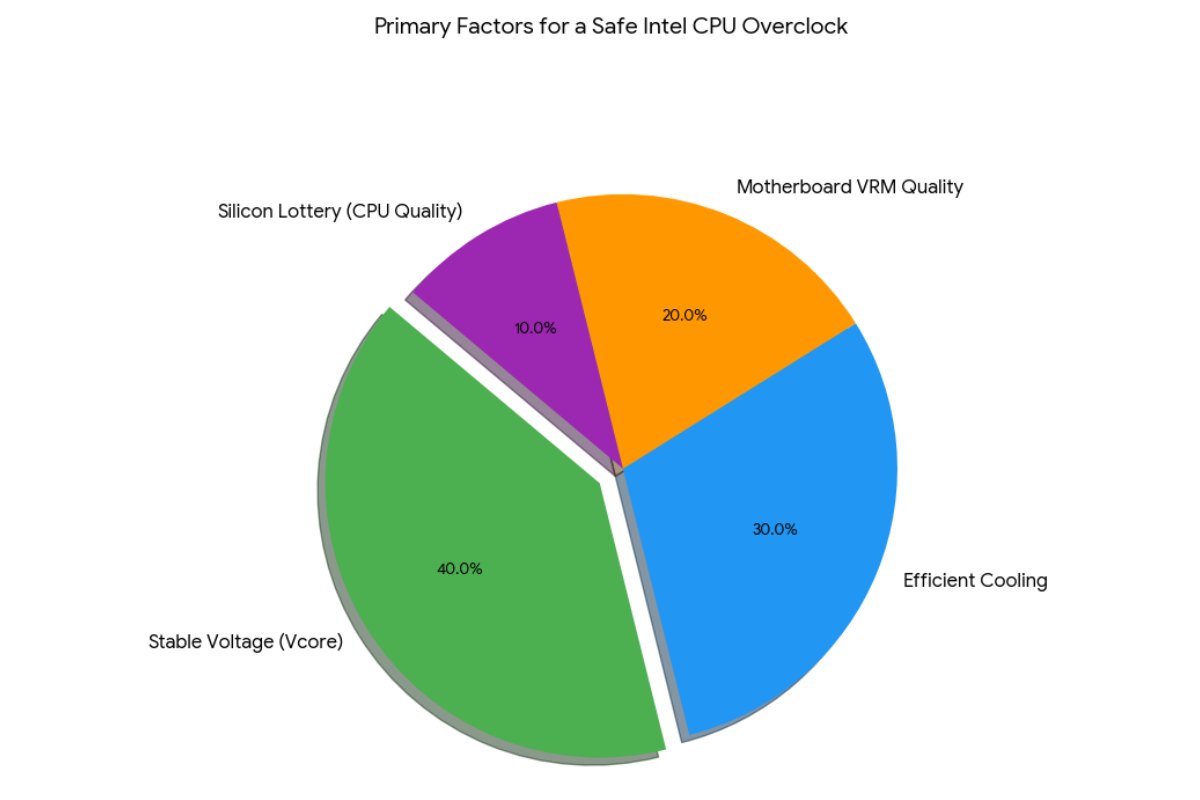
POV: Cooling headroom matters more than voltage tweaks. Most unstable overclocks fail because of heat, not clocks.
- Monitoring & Stress Testing Tools
You’ll need:
- HWInfo (temps, voltage, throttling)
- CPU-Z (verification)
- Cinebench R23 (realistic load)
- Prime95 (worst-case stability testing)
Here is a step-by-step guide on guide for How to Overclock Your Intel CPU
Step no. 1: Update BIOS & Reset to Defaults
- Start clean
- Enable XMP for RAM – important for stability testing
Step no. 2: Enter BIOS and Set a Conservative Multiplier
- Increase all-core multiplier by +1
- Example: 49 → 50
- Leave voltage on Auto initially
Boot into Windows and test.
Step no. 3: Stress Test and Monitor Temperatures
Run:
- Cinebench R23 (10-minute loop)
- Watch:
- CPU temperature (stay under ~90°C)
- Throttling flags
- Crashes or errors
If stable → proceed
If unstable → dial back
Step no. 4: Manual Voltage Tuning
Switch from Auto to Manual/Adaptive:
- Start around 1.25V
- Increase in 0.01–0.02 V increments
- Avoid exceeding:
- ~1.35V for daily use (varies by generation)
Expert nuance: Many CPUs are overvolted on Auto. Manual tuning can reduce heat and improve stability.
Step no. 5: Long-Term Stability Testing
- Prime95 (Small FFTs): 30–60 minutes
- Real-world workloads you actually use
Stable ≠ passes one benchmark
Common Beginner Mistakes to Avoid
1. Chasing Max Clocks
Higher GHz doesn’t always equal real performance gains.
2. Ignoring VRM and Case Airflow
Motherboard power delivery and airflow matter under sustained loads.
3. Assuming All CPUs Overclock the Same
The silicon lottery is real—even within the same SKU.
Overclocking vs Intel Turbo Boost: The Hidden Trade-off
Modern Intel CPUs dynamically boost:
- Per-core
- Per-temperature
- Per-power budget
Manual overclocks can:
- Improve sustained all-core performance
- Reduce single-core boost behavior
- Increase idle power draw
POV: For gaming, a mild undervolt + stock boosting often beats aggressive all-core overclocks.
Conclusion
Overclocking in this year is less about raw MHz and more about:
- Sustained performance
- Thermal efficiency
- System balance
The best overclock is one you never notice—except in benchmarks and workloads.